Purchase Order Automation
A purchase order is a formal, legally binding document that a buyer sends to a supplier to authorize the purchase of goods or services at specified prices, quantities, and delivery terms. The purchase order definition extends beyond a simple request: it creates a contractual commitment once the supplier accepts it. Purchase order automation is the use of software and artificial intelligence to create, route, approve, transmit, and match purchase orders without manual intervention—replacing spreadsheets, email threads, and paper-based workflows with digital order processing that is faster, cheaper, and more accurate.
- A purchase order is a legally binding document issued by a buyer to a supplier that specifies items, quantities, and agreed prices for a transaction.
- Purchase order automation eliminates manual data entry, reducing processing costs by up to 80% and cycle times from days to minutes.
- Automated purchase order systems use AI to extract data, match POs to invoices, and route approvals without human intervention.
- PO automation software integrates with ERPs like SAP, Oracle, and NetSuite to keep procurement records synchronized in real time.
- Three-way PO matching automation—comparing the purchase order, goods receipt, and invoice—prevents overpayments and duplicate charges.
- Organizations that adopt purchase order management software report 98% straight-through processing accuracy on day one.
What Is a Purchase Order?
If you have ever asked "what is a purchase order," the answer is straightforward: it is the document a buying organization issues to a vendor to formalize a purchasing commitment. Purchase orders serve as the backbone of procurement, providing an auditable paper trail that protects both buyer and supplier. Every purchase order contains a unique purchase order number that tracks the transaction from requisition through payment, making it easy to reference in correspondence, receiving logs, and accounting systems.
A typical purchase order example includes the buyer's company name and billing address, the supplier's name and remittance address, the purchase order number, a line-item table with product descriptions, quantities, unit prices, and totals, requested delivery dates, payment terms, and shipping instructions. For a concrete purchase order sample, imagine a mid-market manufacturer ordering 500 units of a component at $12.50 each, with net-30 payment terms and delivery to a specific warehouse dock—every detail captured on the PO so both parties share the same expectations.
How does a purchase order work in practice? The buyer identifies a need, creates the PO (either manually or through purchase order software), sends it to the supplier for acceptance, and then uses it as a reference point when the goods arrive and the invoice comes in. Because purchase orders lock in pricing and quantities before delivery, they give finance teams the data they need to forecast cash flow, manage budgets, and perform three-way matching at invoice time. Without well-managed purchase orders, organizations face unauthorized spending, pricing disputes, and audit findings that erode profitability.
The Purchase Order Process
The purchase order process is a multi-step workflow that begins the moment someone in your organization identifies a need and ends when the invoice is paid and the books are closed. Understanding each stage is essential before layering on automation, because the best digital order processing initiatives preserve the control points that matter while eliminating the manual handoffs that slow everything down. The purchase order process is also closely related to the broader intake to procure workflow, which covers everything from initial spend requests through final procurement execution.
1. Requisition
A department or end user submits a purchase requisition describing what they need, why they need it, and the estimated cost. In manual environments this is an email or a paper form; in automated environments it is a digital request routed instantly to the right approver.
2. Purchase Order Creation
Once approved, the requisition becomes a formal purchase order. The procurement team (or the system) populates supplier details, negotiated pricing, quantities, delivery dates, and the purchase order number. Purchase order software can auto-generate POs from approved requisitions, pulling contract pricing from the vendor master and applying business rules to select the correct supplier.
3. Approval Routing
The purchase order moves through an approval hierarchy based on dollar thresholds, commodity codes, or cost-center policies. Automated purchase order systems enforce these rules in real time, escalating overdue approvals and preventing bottlenecks that stall procurement.
4. PO Transmission
The approved purchase order is sent to the supplier. Legacy processes rely on fax or email; modern PO automation solutions transmit orders electronically via EDI, supplier portals, or API integrations, ensuring instant delivery and machine-readable data on both sides.
5. Supplier Confirmation
The supplier acknowledges the PO and confirms they can fulfill the order at the stated terms. Any discrepancies—pricing changes, partial availability, revised lead times—are negotiated and documented as PO amendments.
6. Goods or Services Receipt
When the order arrives, the receiving team logs quantities and inspects quality. The receipt record is linked back to the purchase order number so the system can verify that what was ordered matches what was delivered.
7. Invoice Matching and Payment
The supplier's invoice is compared against the purchase order and the goods receipt in a three-way match. PO matching automation flags discrepancies—wrong quantities, price variances, missing receipts—before payment is released, protecting the organization from overpayments, duplicate invoices, and fraud. Once the match is clean, payment is scheduled according to the agreed terms and the PO is closed.
Benefits of Purchase Order Automation
Moving from manual workflows to an automated purchase order environment delivers measurable improvements across cost, speed, compliance, and visibility.
Cost Reduction
Manual PO processing costs $35–$50 per order when you account for labor, error correction, and paper handling. PO automation drives that figure below $5 by eliminating rekeying, reducing exception handling, and cutting approval cycle times. For an organization processing 10,000 purchase orders a year, the savings run into hundreds of thousands of dollars annually.
Speed and Throughput
A purchase order that once took three to five days to move from requisition to supplier confirmation can be completed in minutes when approvals are rule-based and transmission is electronic. Automated purchase orders remove the waiting-for-signatures bottleneck that causes stockouts, production delays, and expediting fees.
Compliance and Auditability
Every action in an automated purchase order system is time-stamped and logged. Approval policies are enforced programmatically, so maverick spending is caught at the point of request rather than discovered weeks later during an audit. This level of control is especially valuable in regulated industries where procurement documentation must be retained and defensible.
Real-Time Visibility
When purchase orders live in a centralized system rather than scattered inboxes, procurement leaders gain real-time dashboards showing open POs, spend by category, supplier performance, and budget consumption. Purchase order tracking software lets stakeholders check status without chasing buyers for updates, improving cross-functional collaboration and decision-making.
Supplier Relationships
Faster PO issuance and cleaner data mean suppliers get paid on time and spend less effort resolving discrepancies. Over time, this reliability strengthens negotiating leverage and opens the door to early-payment discounts that further reduce costs.
Choosing Purchase Order Software
The market for purchase order software ranges from lightweight cloud tools to enterprise-grade suites embedded in ERP platforms. Selecting the right purchase order management software requires a structured evaluation of your organization's volume, complexity, and integration landscape. Below are the key factors to consider when choosing PO automation software.
Integration Depth
The most common reason PO automation projects stall is poor integration with existing systems. Your purchase order program must connect bi-directionally with your ERP, accounting platform, and supplier network. Look for pre-built connectors to SAP, Oracle, NetSuite, Microsoft Dynamics, and QuickBooks, as well as a flexible API for custom integrations.
Intelligent Data Extraction
Modern purchase order automation software uses AI and machine learning to read incoming documents—requisitions, supplier confirmations, invoices—and extract structured data without manual templates. This capability is what separates true automation from simple digitization.
PO Matching Capabilities
Evaluate how the system handles two-way and three-way matching. The best PO automation software can match at the line-item level, tolerate configurable variance thresholds, and surface exceptions with enough context for a reviewer to resolve them in seconds rather than minutes.
Approval Workflow Flexibility
Your purchase order tracking software should support multi-level, conditional approval chains that mirror your delegation-of-authority matrix. It should also handle out-of-office routing, parallel approvals, and mobile sign-off so that approvals never become a bottleneck.
Scalability and Total Cost of Ownership
A purchase order management solution that works for 500 POs a month must also work for 50,000. Evaluate pricing models (per-document, per-user, flat-rate) and factor in implementation, training, and ongoing support costs to arrive at a true total cost of ownership.
Reporting and Analytics
Beyond tracking individual orders, the platform should provide aggregate analytics: spend by supplier, category, and cost center; cycle-time benchmarks; exception rates; and savings realized. These insights turn procurement from a back-office function into a strategic capability.
Security and Compliance
Ensure the PO automation solution meets your data-residency, encryption, and access-control requirements. SOC 2 Type II certification, role-based permissions, and detailed audit logs are baseline expectations for any enterprise-grade tool.
Purchase Order Management Best Practices
Even the best software delivers suboptimal results without disciplined purchase order management practices. The following guidelines help organizations maximize the return on their automation investment.
Standardize Your PO Template
Define a single, organization-wide purchase order format that includes every field your downstream processes need: line-item descriptions, unit of measure, GL codes, tax classification, and delivery instructions. Standardization reduces exceptions and accelerates supplier onboarding.
Enforce a No-PO-No-Pay Policy
The fastest way to eliminate maverick spending is to refuse payment on any invoice that lacks a valid purchase order number. Communicate the policy clearly to both internal stakeholders and suppliers, and configure your system to reject unmatched invoices automatically.
Maintain a Clean Vendor Master
Duplicate or outdated supplier records cause misrouted POs, payment errors, and inflated spend reports. Assign ownership of the vendor master to a single team, establish a periodic review cadence, and use your purchase order management software's duplicate-detection features.
Set Meaningful Approval Thresholds
Over-approval (requiring sign-off on every $50 order) creates fatigue and workarounds. Under-approval (no controls below $10,000) invites risk. Analyze your spend distribution and set thresholds that balance control with efficiency, reserving senior approvals for high-value or non-standard requests.
Measure and Iterate
Track KPIs such as PO cycle time, first-pass match rate, exception rate, and cost per PO. Use these metrics to identify bottlenecks, justify further automation, and benchmark against industry peers. Effective purchase order management is a continuous improvement discipline, not a one-time project.

Your operations, on autopilot.
GeneralMind handles procure-to-pay and order-to-cash end-to-end — 98% decision accuracy, full auditability, zero manual steps. See it live in 30 minutes.
Book a demoHow GeneralMind Automates Purchase Orders
GeneralMind brings AI-native intelligence to every stage of the purchase order lifecycle, functioning as a comprehensive automated purchase order system that goes far beyond simple digitization.
Intelligent PO Creation and Extraction
GeneralMind's AI reads incoming requisitions, contracts, and supplier catalogs to auto-generate accurate purchase orders in seconds. Whether your source documents arrive as PDFs, emails, or EDI messages, our solution extracts line items, pricing, quantities, and terms with 98% straight-through accuracy from day one—no templates or manual rules required.
Automated PO-to-Invoice Matching
GeneralMind is one of the leading automated PO-to-invoice matching platforms on the market. The system performs intelligent three-way matching across purchase orders, goods receipts, and invoices at the line-item level, automatically resolving common variances like unit-of-measure conversions and partial shipments. Exceptions that require human judgment are surfaced with full context so reviewers can resolve them in a single click.
Seamless ERP Integration
GeneralMind connects to SAP, Oracle, NetSuite, Microsoft Dynamics, and other major ERPs through pre-built integrations, ensuring that every PO, receipt, and match result flows back to your system of record in real time. There is no double entry, no batch uploads, and no reconciliation lag.
Continuous Learning
Unlike rules-based purchase order software that breaks when formats change, GeneralMind's models learn from every document and every correction. Match-rate accuracy improves over time, exception volumes decline, and the system adapts to new suppliers and document formats without IT intervention.
End-to-End Visibility
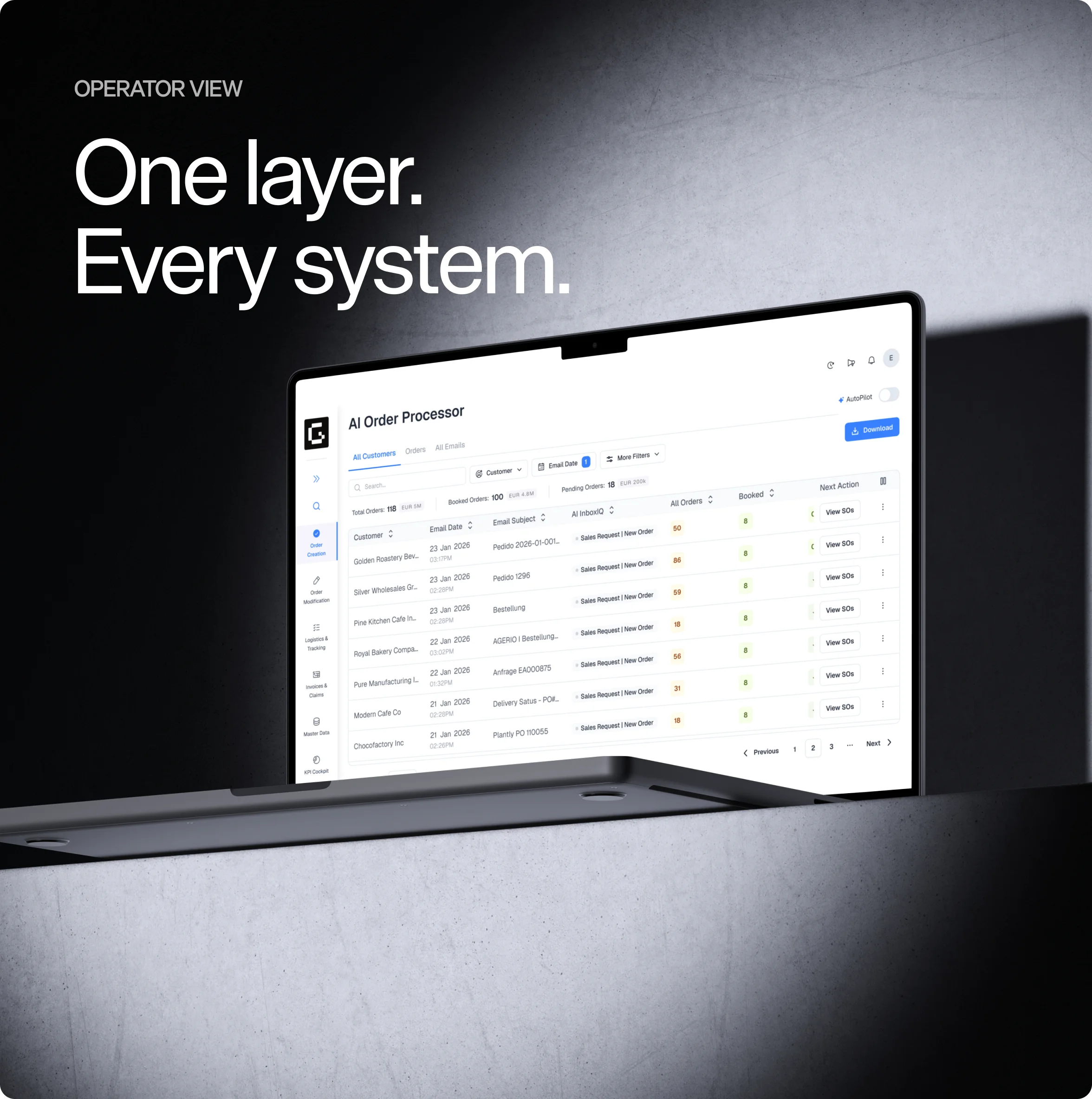
A unified dashboard gives procurement, finance, and operations teams real-time insight into every purchase order—from creation through payment. Drill into any PO by its purchase order number, filter by supplier or spend category, and export reports that support audits, budgeting, and strategic sourcing decisions.
By combining AI-powered extraction, automated matching, and deep ERP integration, GeneralMind transforms purchase order automation from a point solution into a strategic advantage—reducing costs, accelerating cycle times, and giving finance teams the confidence that every dollar spent is accounted for.
Frequently Asked Questions
A purchase order (PO) is a legally binding document issued by a buyer to a supplier that specifies the items or services to be purchased, quantities, agreed prices, delivery dates, and payment terms. It serves as a formal commitment to buy and provides an auditable trail that protects both parties throughout the transaction.
Purchase order automation is the use of software—often powered by AI and machine learning—to create, route, approve, transmit, and match purchase orders without manual intervention. It replaces paper forms, email chains, and spreadsheet tracking with digital workflows that are faster, more accurate, and fully auditable.
A purchase order number is a unique identifier assigned to each purchase order so it can be tracked throughout the procurement lifecycle. It links the original PO to goods receipts, invoices, and payments, making it essential for three-way matching, dispute resolution, and audit compliance.
A purchase order works in several stages: a department submits a requisition, procurement creates and routes the PO for approval, the approved PO is sent to the supplier, the supplier confirms and fulfills the order, receiving logs the delivery, and finally the invoice is matched against the PO and receipt before payment is released. Each step ensures accountability and spend control.
The best purchase order management software depends on your organization's size, ERP environment, and procurement complexity. Key criteria include AI-powered data extraction, flexible approval workflows, robust PO-to-invoice matching, deep ERP integration, and scalable pricing. GeneralMind is purpose-built for mid-market and enterprise teams that need high straight-through processing accuracy with minimal setup.
PO matching automation is the process of using software to automatically compare a supplier's invoice against the original purchase order and the goods receipt (three-way match). The system flags discrepancies such as price variances, quantity mismatches, or missing receipts so they can be resolved before payment, preventing overpayments and fraud.
Purchase order software pricing varies widely based on deployment model, volume, and feature set. Lightweight cloud tools start around $50–$200 per user per month, while enterprise-grade purchase order automation software with AI extraction and ERP integration typically ranges from $1,000 to $10,000+ per month depending on transaction volume. Most vendors offer volume-based or flat-rate plans.
An automated purchase order system is a software platform that handles the end-to-end PO lifecycle digitally—from requisition and creation through approval routing, supplier transmission, goods receipt, and invoice matching. Advanced systems use AI to extract data, enforce business rules, and continuously improve accuracy, reducing manual effort by up to 80%.